Rollback and care guide for ARK: Survival Evolved on Epic Games using TEK Launcher.
Back up Epic Games\ARKSurvivalEvolved\ShooterGame\Saved somewhere safe. This protects settings, single-player saves, map data and explorer-note progress.
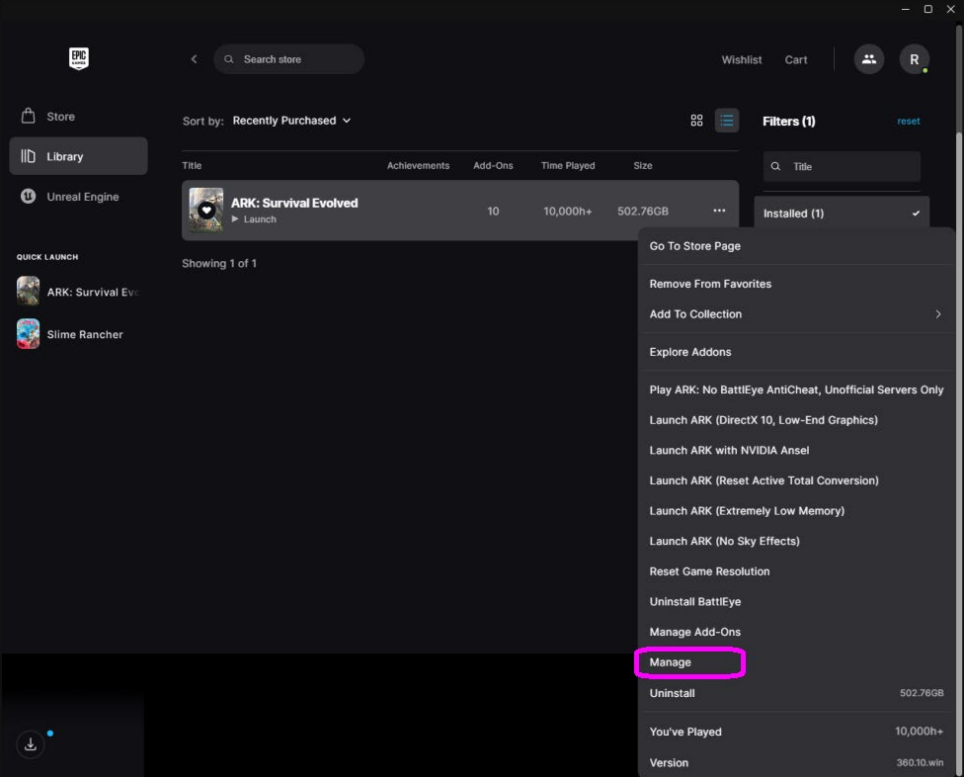
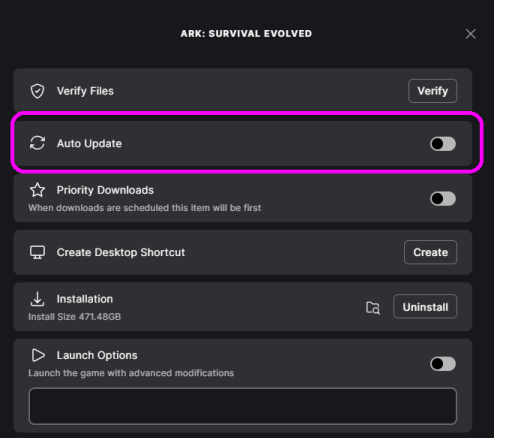
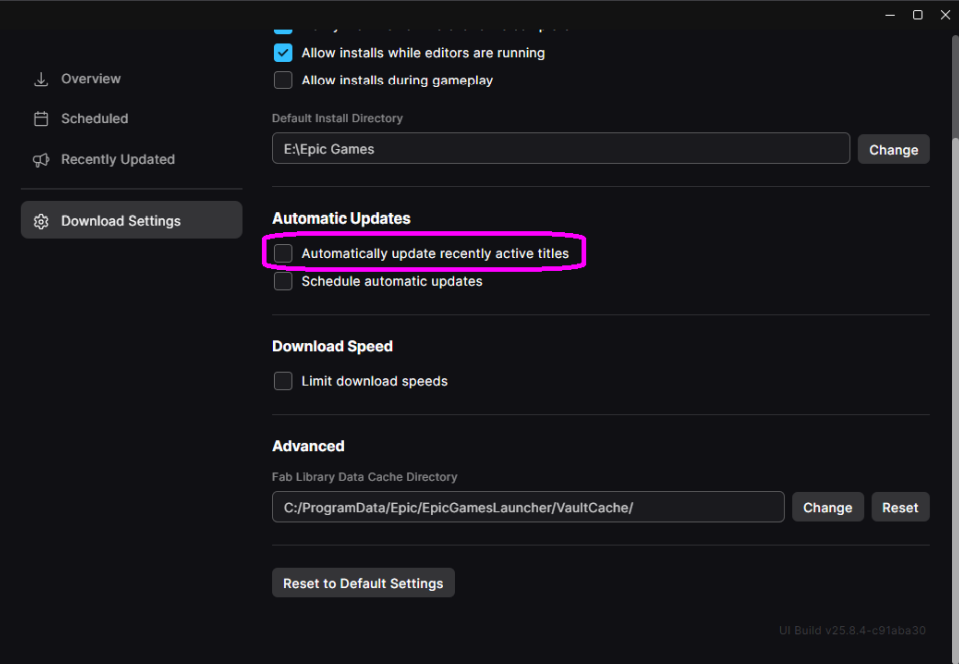
Update through Epic Games Launcher first. Then disable Auto Update for ARK and completely exit Epic Games Launcher.
Install the .NET 9 Desktop Runtime, Steam, and the latest TEK Launcher release. Run TEK Launcher as administrator with Epic fully closed.
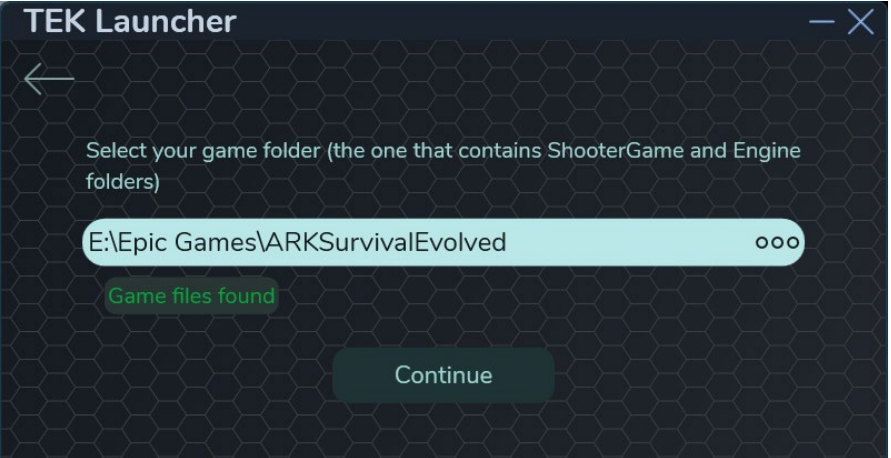
Choose Game already installed and select the Epic ARK folder.
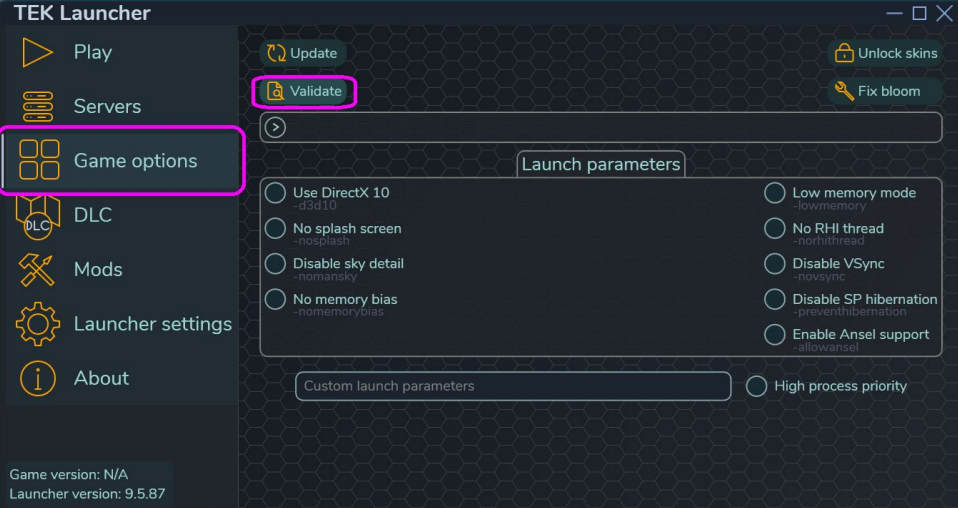
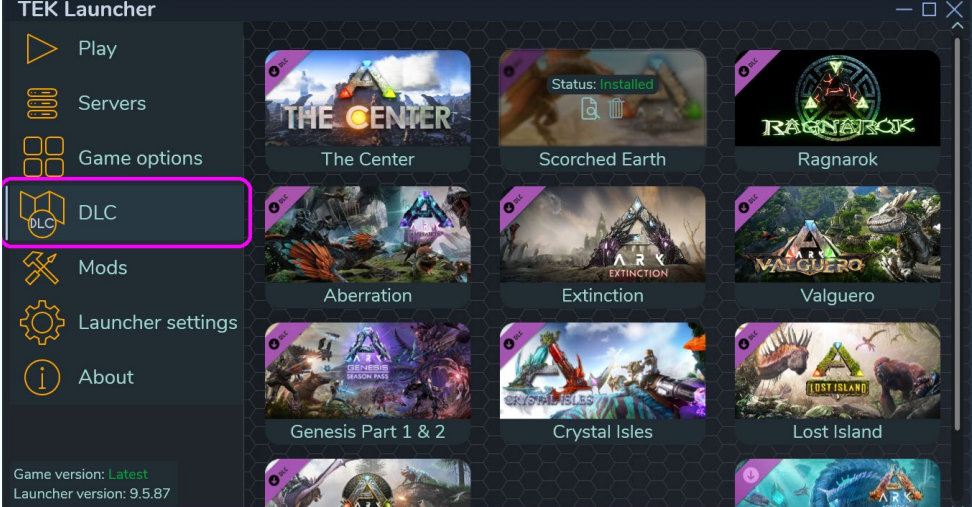
Open Game Options and validate the game. Then validate each installed DLC one at a time.
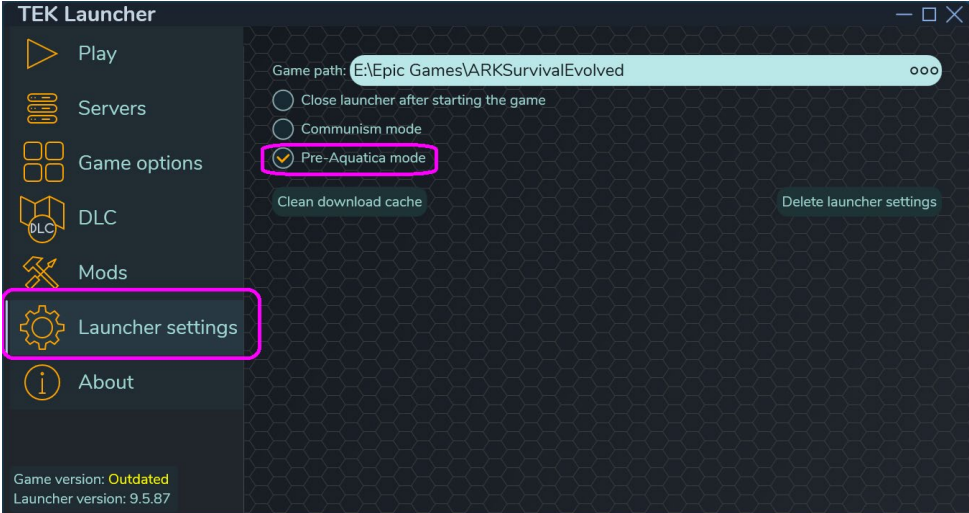
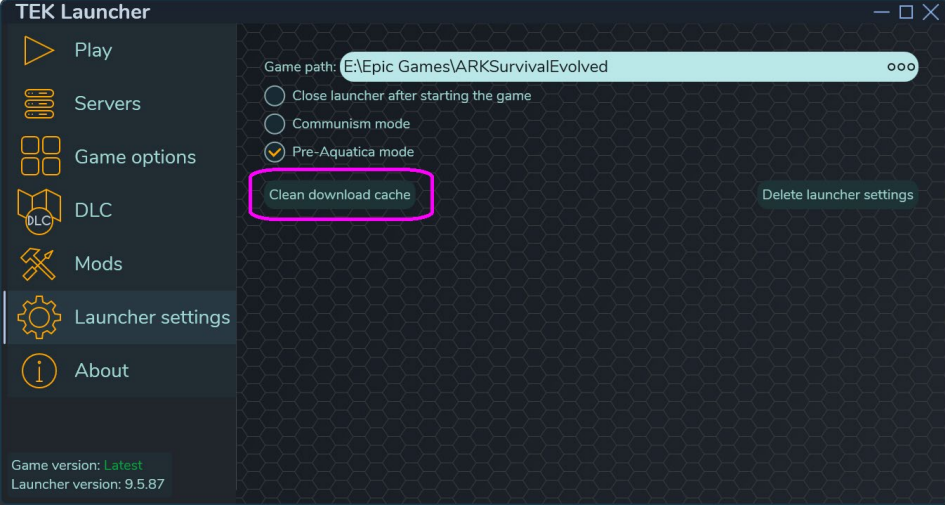
In Launcher Settings, select Pre-Aquatica Mode.
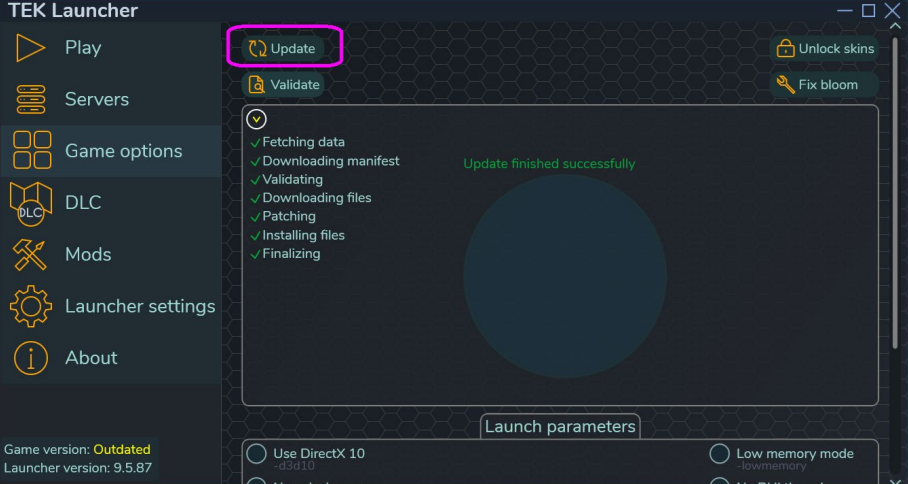
Return to Game Options and click Update. When the core game is complete, update your DLCs one at a time. If a free DLC errors, clean the TEK Launcher download cache and retry.
Close TEK Launcher. In ShooterGame\Binaries\Win64, rename steam_appid.txt to _steam_appid.txt. Restore your Saved backup if needed, then launch ARK from Epic Games Launcher.
Credits: Nuclearist, wanheda and Alessio. Original Bobasaurs guide retained from the previous site.